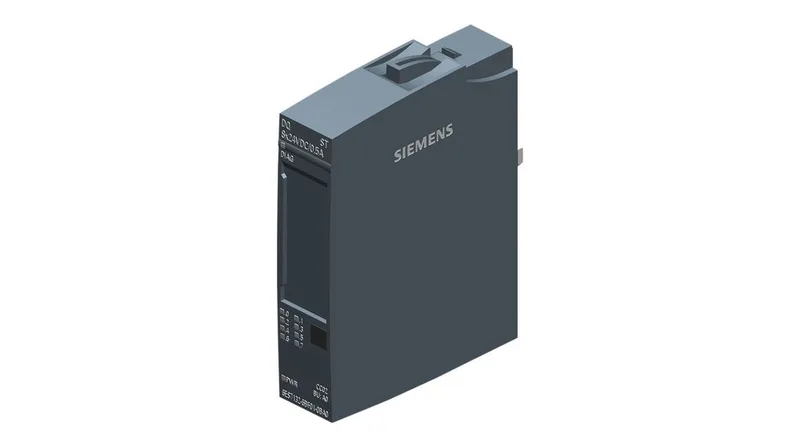
The Siemens 6ES7132-6BF01-0BA0 is a SIMATIC ET 200SP digital output module with four channels, each rated for 24 VDC and capable of 2 A per channel. It delivers 4 A total per module up to 60 °C ambient, so it handles grouped solenoid or contactor loads without derating in a warm cabinet. The 15 mm width keeps DIN-rail density high — you can pack more I/O per row than wider blocks. This is a current-production part (lifecycle status: current), so it's still a standard BOM line for new panels and spares. No end-of-life notice to track yet.
Each channel switches from 0 to 1 in 50 µs at rated load and 1 to 0 in 100 µs. That's fast enough for valve banks and indicator lamps, but not for high-speed camming or PWM — this module has no PWM or oversampling capability. If you need pulse trains, look at a technology module instead. The module draws 1 W typical from the backplane bus. In a dense ET 200SP station with a dozen output modules, that adds up — keep an eye on the total power budget of the interface module. Diagnostics cover wire-break, short-circuit to L+ and to M, and group errors — all reported module-wise. When a valve drops out mid-shift, the diagnostic alarm tells you which module, not which channel, so you still need to trace the individual output. The lamp load switching limit is 10 Hz max, fine for indicator lights but not for strobes.
Mounting and wiring — what fits
The module snaps onto a BU type A0 BaseUnit. For 3-wire sensors you need the AUX terminals on the BaseUnit or a separate potential distributor module; for 4-wire devices you add the potential distributor. That's a few extra parts to order alongside the module — factor them into the BOM. Dimensions are 15 mm wide, 73 mm high, 58 mm deep. It fits standard ET 200SP DIN-rail assemblies. Unshielded cable runs up to 600 m; shielded up to 1000 m — plenty for distributed I/O in a plant. Automatic encoding means the module ID is read by the interface module on power-up — no DIP switches to set. I&M data (I&M0 to I&M3) lets you tag the module with location and installation date for asset tracking.